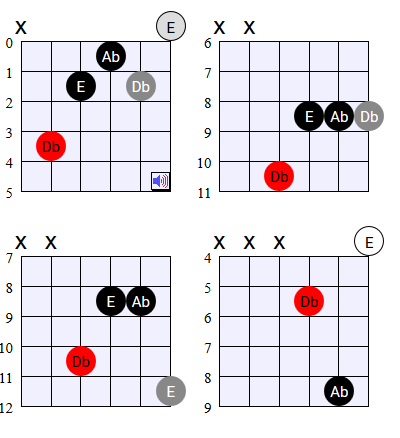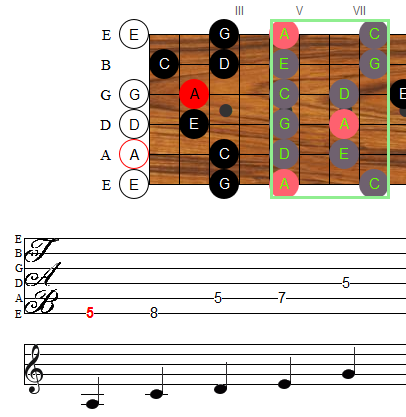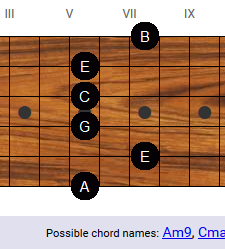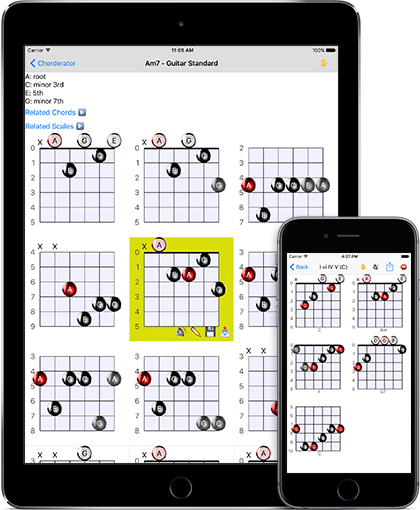
The Guitarator Toolbox is a downloadable application to look up chords,
look up scales,
and perform reverse chord lookups to find the name of any chord
shape. See and hear how to play any chord or scale you can think
of, in any tuning. Learn more.
After many years of playing guitar, I recently started teaching myself
piano. It has been a challenge and great for reminding me what it was like to
first learn guitar. I'm already seeing how learning piano will help my guitar
playing.
The piano is a really powerful instrument. With ten fingers, you can play ten notes at
once, or more if you use the sustain pedal or you mash two keys
with one finger. It can play both higher and lower than a guitar - at the same time! Unplugged, a piano is louder. And there is tons and tons of music for the piano - a lot of it
classical, but going through ragtime, jazz, some blues, and even some rock.
That got me thinking. Why is the guitar the indisputable queen of instruments in today's popular music? Folk, blues, and
especially rock and roll? What is so special about the guitar that makes it so
perfect for rock? I love Billy Joel's music, and Jerry Lee Lewis kicked ass,
but numbers-wise, guitarists leave pianist in the dust. Why is that?
I am not a jazz musician. I prefer to stick to rock or folk,
and I see a lot of what modern jazz musicians do as showing
off or needless complication of what should be simple. And so,
for a long time, I resisted learning many ideas and techniques
that I thought of as "jazz techniques," or "jazz theory," or
even "jazz chords."
I was, of course, being silly. There is no such thing as a
"jazz technique," just as there is no such thing as a "jazz
chord." Jazz musicians (most of them, anyway) are trying to do
the same thing the rest of us are trying to do: make music
that sounds good. So, while you may not want to bust out the
augmented seventh chords in your next Woody Guthrie cover, a
lot of the tips and tricks that jazz musicians use can be
applied in other contexts. One of these tricks is the concept
of "chord substitutions."
Wait, don't run away!
Chord substitutions sound scary, because we hear people talk
about things like "ah yes, the quintessential tritone
substitution with the dominant seventh over a flat
fifth blah blah blah." It really doesn't have to be
that way. A substitution is just replacing one thing with
another thing. In this case, it's replacing one chord with
another chord.
Apparently, there is some skill involved in creating musical samples. For my Chord Designer and Chorderator web-apps, I originally created the samples from scratch by manually playing every note on the guitar fretboard. Unfortunately, these didn't sound great when combined into arbitrary chords, since the timing and intonation were subtly off.
To fix this, I've completely redone the generated sounds. I think they sound a lot better now. You should also notice a difference in my ear training tools: the Interval Quiz and the Chord Recognition Quiz.
The Chorderator is my free online application that shows you how to play any chord you can think of, in any tuning. In standard tuning, you can also hear what the generated chord shapes sound like. (If you want to listen to chords in other tunings, including bass guitar and banjo [along with a ton more features], you can purchase my Guitarator Toolbox downloadable application.)
The Chord Designer is a sort-of "reverse Chorderator," which lets you place notes on a virtual fretboard to design a new chord, listen to it, and see what it's called.
As promised, here is another easy fingerpicking song: the old
children's song, Skip to My Lou. It's a melody almost
everyone knows, and in terms of chord progression, you can't
get much simpler than this. This arrangement is in the key of
D, and it's composed of only two chords: D and A7. In addition
to making it easy to focus on the fingerpicking technique
without worrying about a complex arrangement, the simplicity
of the chord progression leaves a whole lot of room for
improvisation around the basic melody, if you so desire.
The Guitarator Toolbox is an application for Microsoft Windows that allows you to look up any chord or scale you can dream up, find the proper fingerings in any tuning, and hear what they sound like.